
Paper KOTs get lost.
The kitchen sees the ticket.
Orders reach the screen as soon as they’re sent, with a timer running.
Restaurant POS for India
Counter, waiters, kitchen and you, on one live system. Run it on the phones, tablets and laptops you already have.
From ₹999 a month per location. See the founder deal
Try it yourself 14-day free trial · Talk to a real person
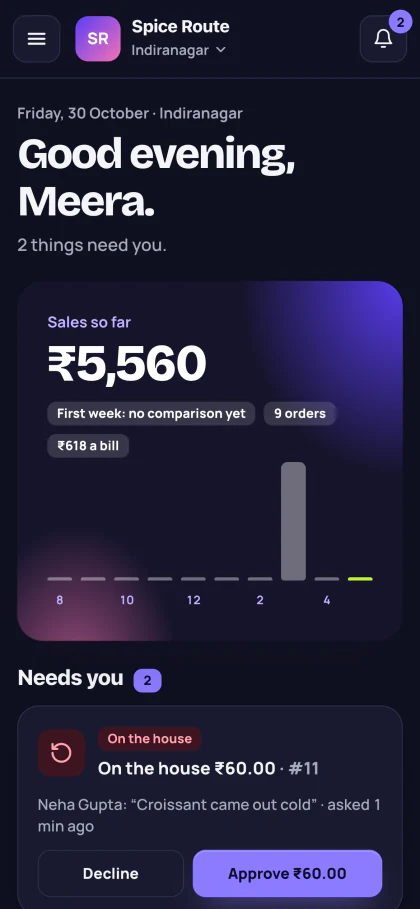
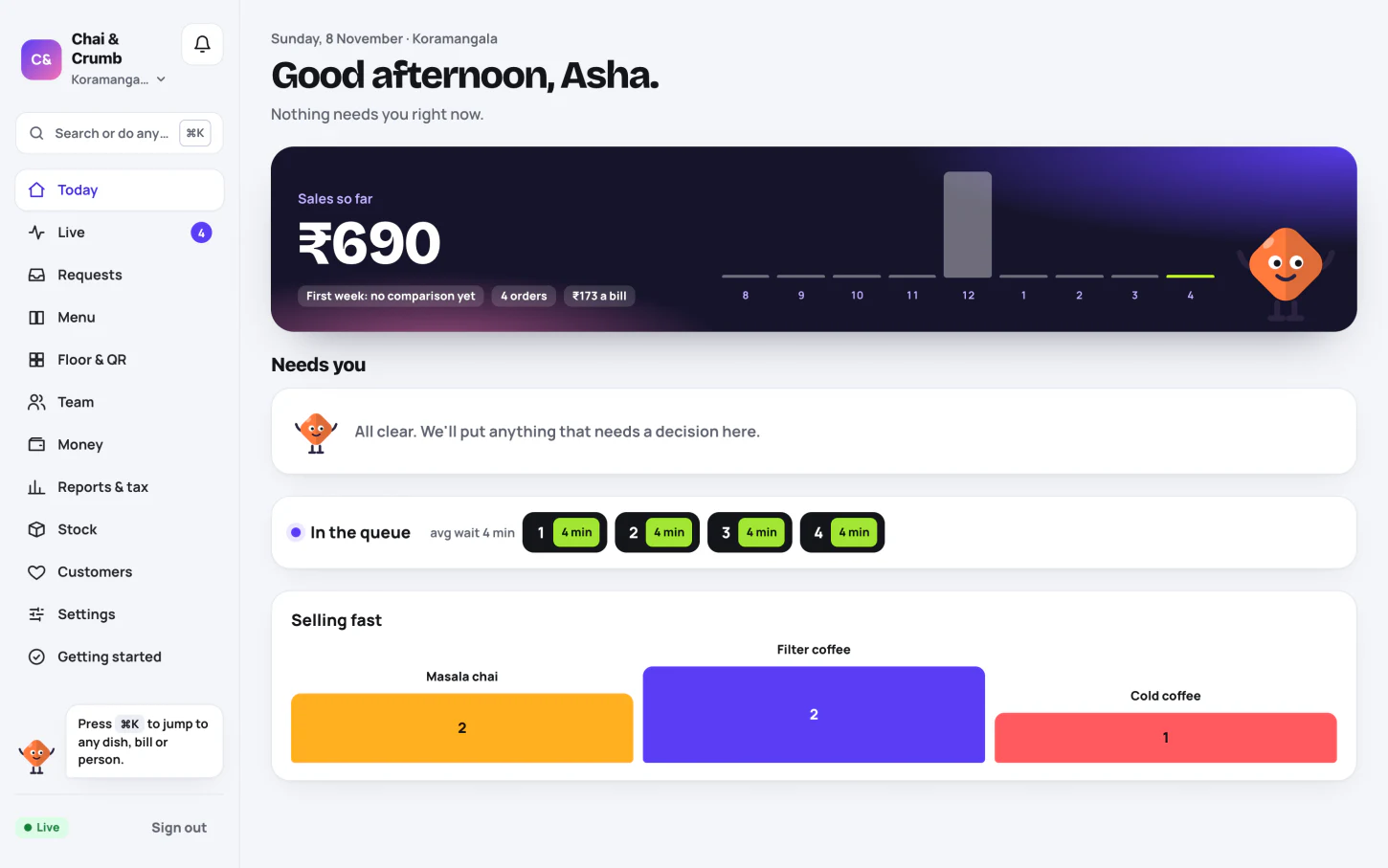
Owner view · demo data

Why restaurants switch
When everyone sees the same order, there’s less to chase during a rush.
Paper KOTs get lost.
Orders reach the screen as soon as they’re sent, with a timer running.
You count sales at closing.
Check what’s selling and how much you’ve taken from your phone.
Discounts slip past you.
Give staff their own limits. Anything above them goes to you.
The rush, in six steps
Tap through real Nimki screens. Then take a seat in the working demo and try it yourself.
Step 01 / 06 · Waiter
Ravi adds the dishes on his phone. One tap sends the order to the kitchen.
Open this demo role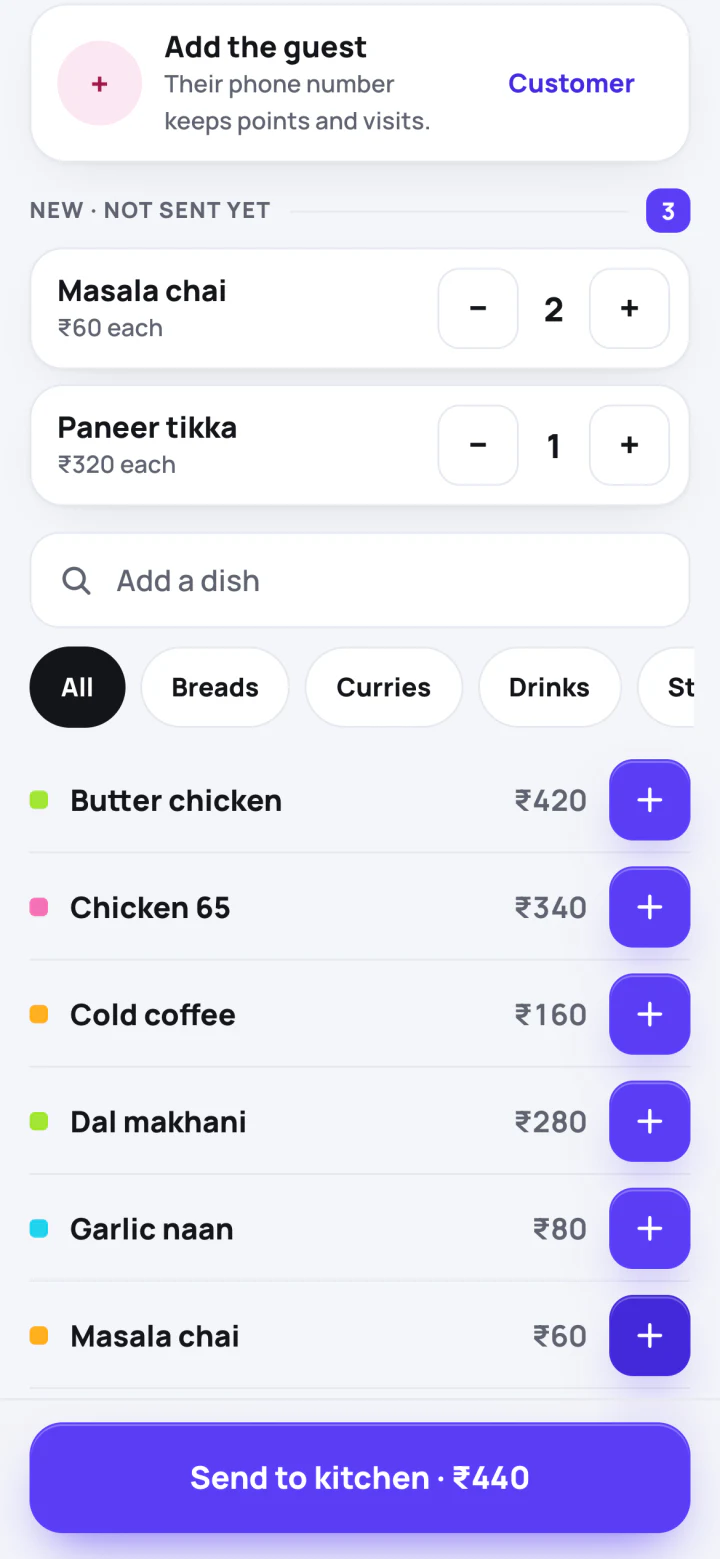
Step 02 / 06 · Kitchen
The ticket appears with a timer. The kitchen can mark a dish or the whole order ready.
Open this demo role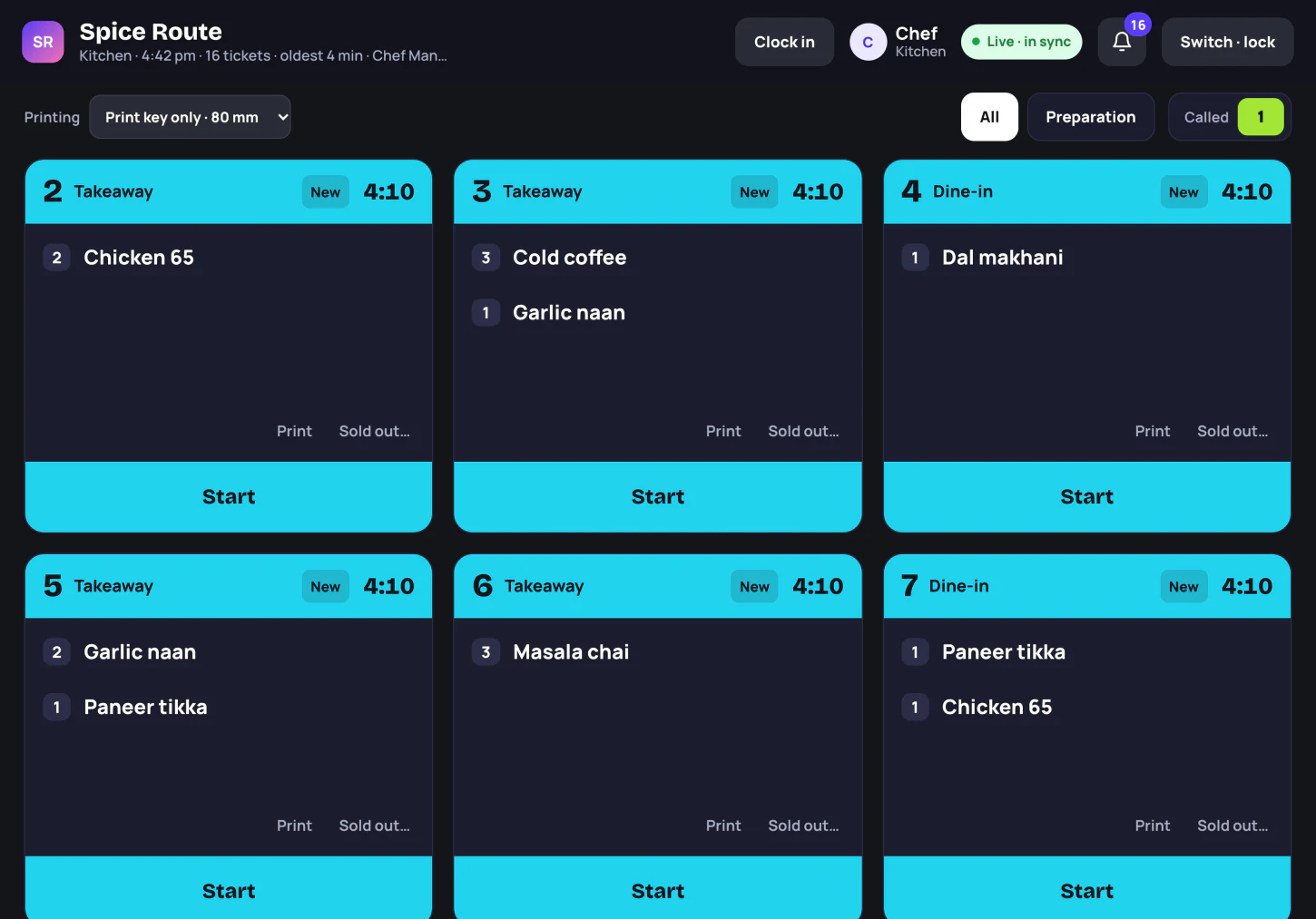
Step 03 / 06 · Waiter
Ravi checks the bill so far and sends it to the cashier when the table asks.
Open this demo role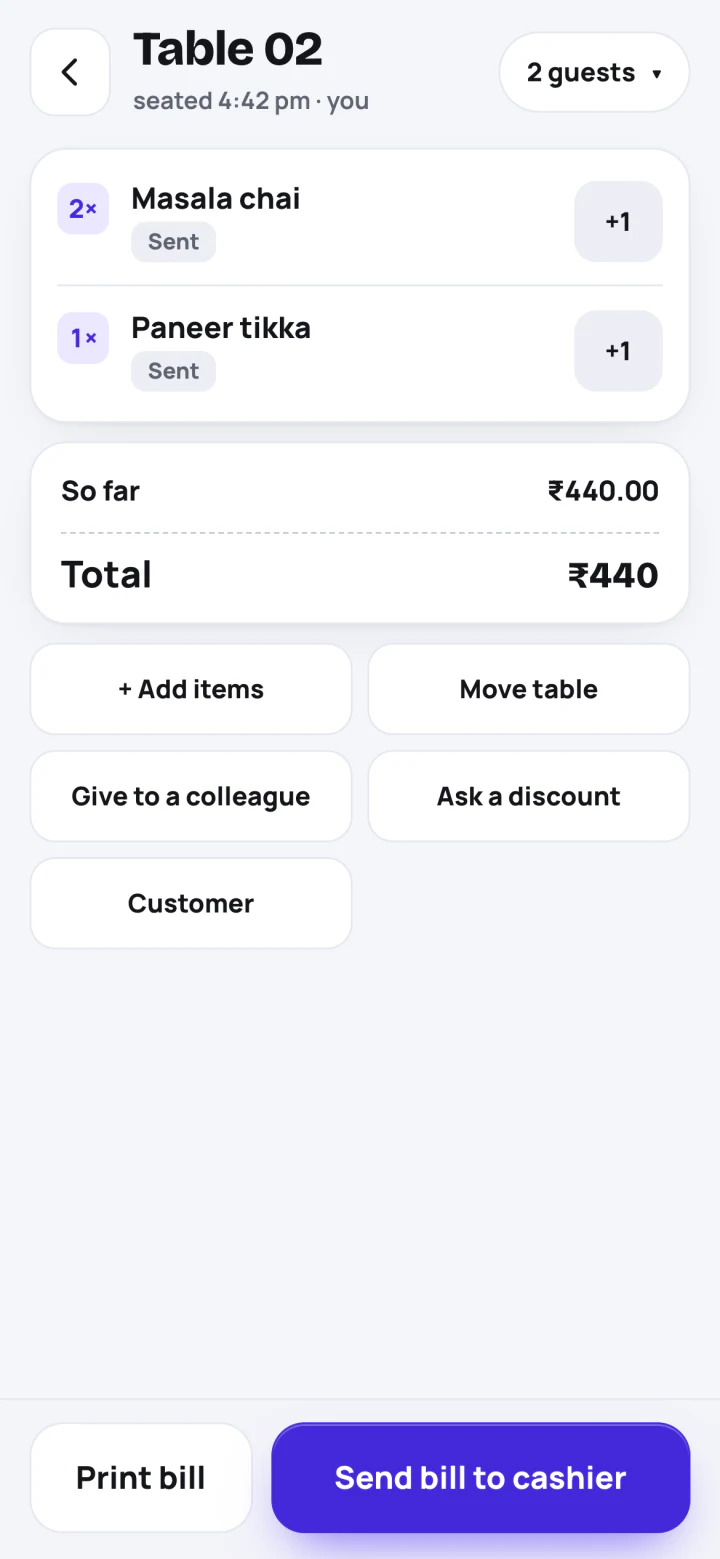
Step 04 / 06 · Owner
When a discount is above a staff limit, you can approve the request from your phone.
Open this demo role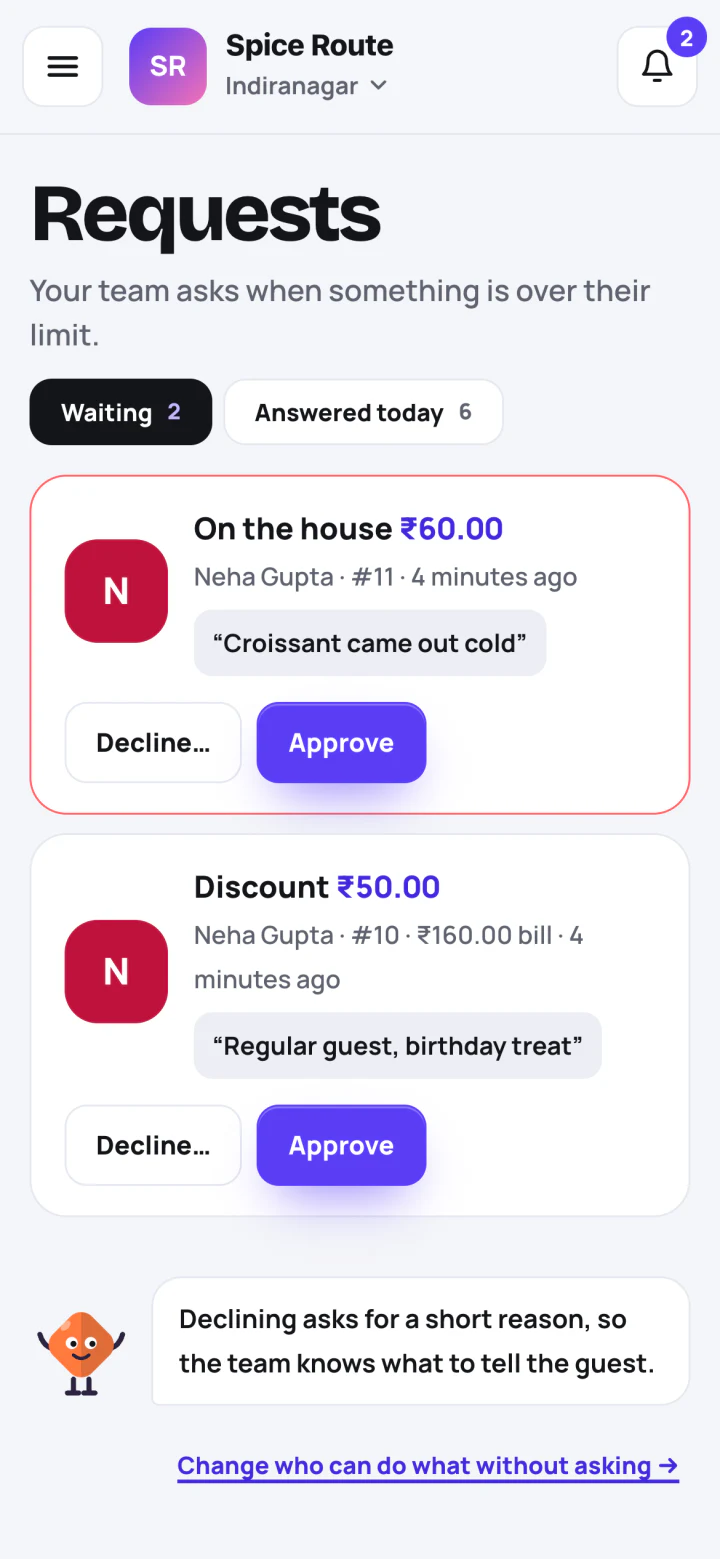
Step 05 / 06 · Counter
See how the till takes UPI and records the sale. It can print or share the receipt.
Open this demo role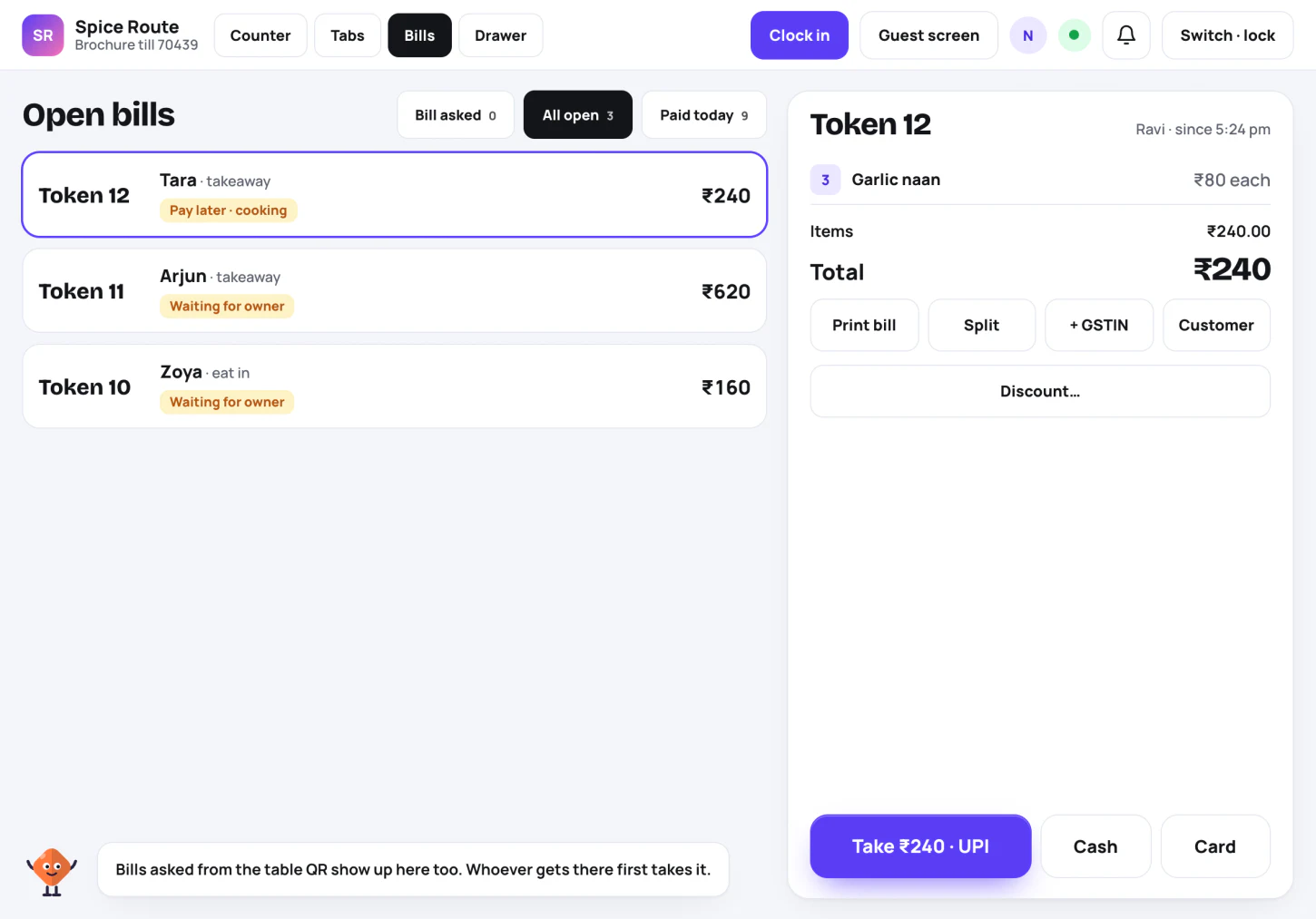
Step 06 / 06 · Owner
See what sold, when you were busiest and how customers paid.
Open this demo role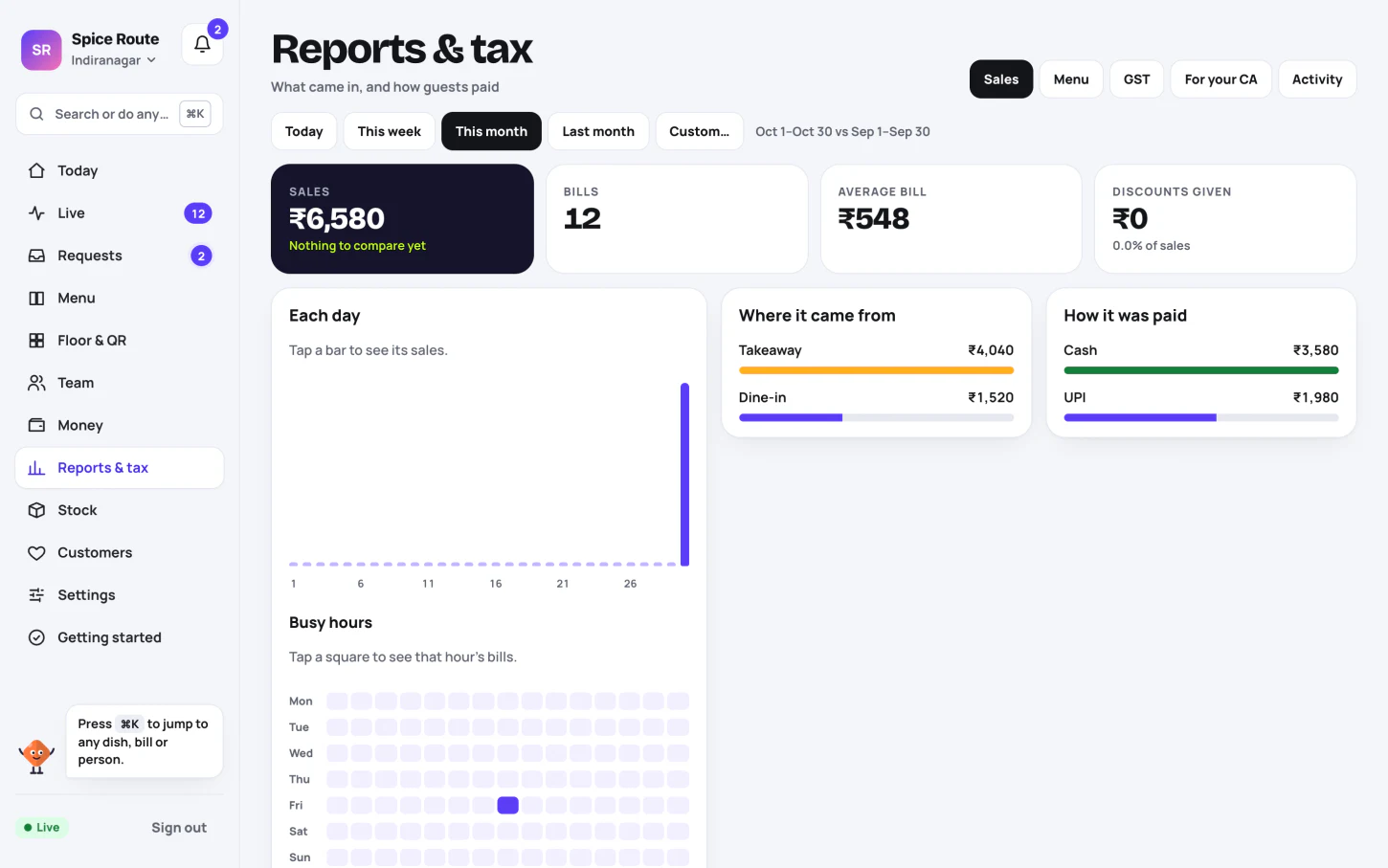
Nimki’s invitation
No sign-up. The demo uses sample data.
The product
Nimki brings billing, the kitchen, the floor and your reports together.
Take UPI or cash, record card payments, and send a GST bill.
Send tickets straight to the kitchen and see what’s ready.
Seat a table, take the order and send it from a phone.
See sales and approve discounts from wherever you are.
Set PINs and limits. Track ingredients, recipes and sold-out dishes.
Let guests send an order to their server, and give regulars a reason to return.
Set up for your place
Pick a setup to see which tools fit the way you work.
Restaurant setup
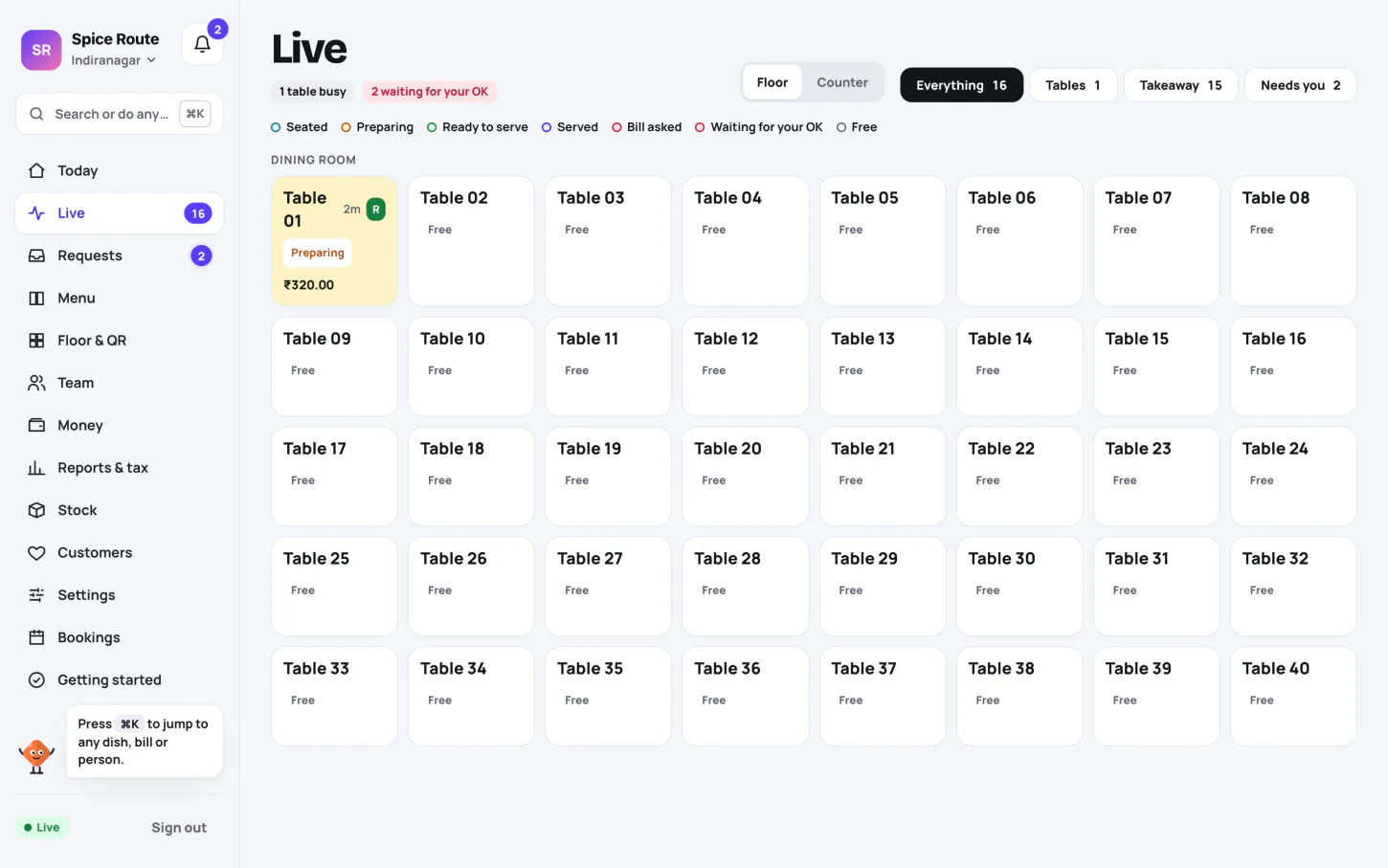
See which tables are waiting, send orders from a phone and keep the cashier in the loop.
Café setup
Take a counter order, call the token when it’s ready and stamp a card for the next visit.
Food truck setup
Take a UPI or cash order, hand over a token and call it when the food is ready. Keep a record of the day’s sales.
Bakery setup
Record pre-orders, mark sold-out items and bill walk-in customers at the same counter.
Bar setup
Keep a tab open, set happy-hour prices and give staff limits for discounts.
Takeaway setup
Send each counter order to the kitchen, call the token when it’s ready and share the receipt as a link.
Three quick choices
Tell us how you work. We’ll suggest where to start.
Pricing
Start with a 14-day free trial. All prices are per location, in Indian rupees.
For a café, bakery, truck or counter.
₹999/ month
Or ₹9,990 / year · 2 months free
The essentials:
For dine-in restaurants and bars with a team.
₹2,499/ month
Or ₹24,990 / year · 2 months free
Everything in Start, plus:
For places that want regulars coming back.
₹4,999/ month
Or ₹49,990 / year · 2 months free
Everything in Run, plus:
Coming: online orders, Swiggy & Zomato, review requests.
Ask about GrowNo GST is charged on Nimki plans today. After the trial, you have a seven-day grace period. Your data isn’t deleted, and you can export it.
FAQ
No. Nimki runs on the phones, tablets and laptops you already have. Add a receipt printer if you want printed bills or KOTs.
The till keeps recording cash and UPI sales and syncs when you’re back online. You review the sales before they’re final.
Yes. Nimki supports GST bills, buyer GSTIN, credit notes for refunds, financial-year bill numbers and monthly GST files for your CA.
You can take your first bill the same day. Add your menu, your team and your tables. You can import the menu from a sheet.
Each person has their own PIN and limits. Discounts above their limit come to your phone. Changes appear in the activity log.
Yes. Choose Hindi or English on each device.
Send us your menu as a sheet and we’ll help you move it. Ask Aayush on WhatsApp.
No GST is charged on Nimki plans today.
Pick a plan after the 14-day trial. If you don’t, you have a seven-day grace period. Your data isn’t deleted.
Your next step
Message Aayush for a 15-minute demo on your own menu. Find the right plan for your place.